
Review the QC Files
As the reviewer, we recommend using the review workflow built into ghqc to leave comments. It keeps the QC discussion organized, preserves traceability, and lets you leave
inline comments directly in the file. To do this, open the file locally and add comments where you want them. ghqc reads the local file content, compares it to the latest
committed version, and includes the diff directly in the issue comment body.
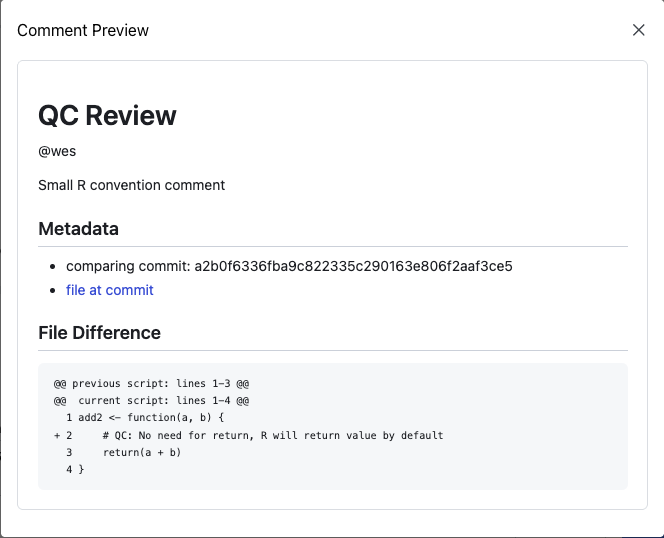
Continuing the scripts/helper.R example, the file simply adds two numbers and returns their sum. The reviewer wants to point out that the explicit return() is not needed,
since R returns the last expression by default. They can leave that comment directly in the file and save it locally.
add2 <- function(a, b) { # QC: No need for return, R will return value by default return(a + b)}After editing the file, the issue will be marked with a star once the Git status refreshes, indicating that there are local, uncommitted changes to the file.
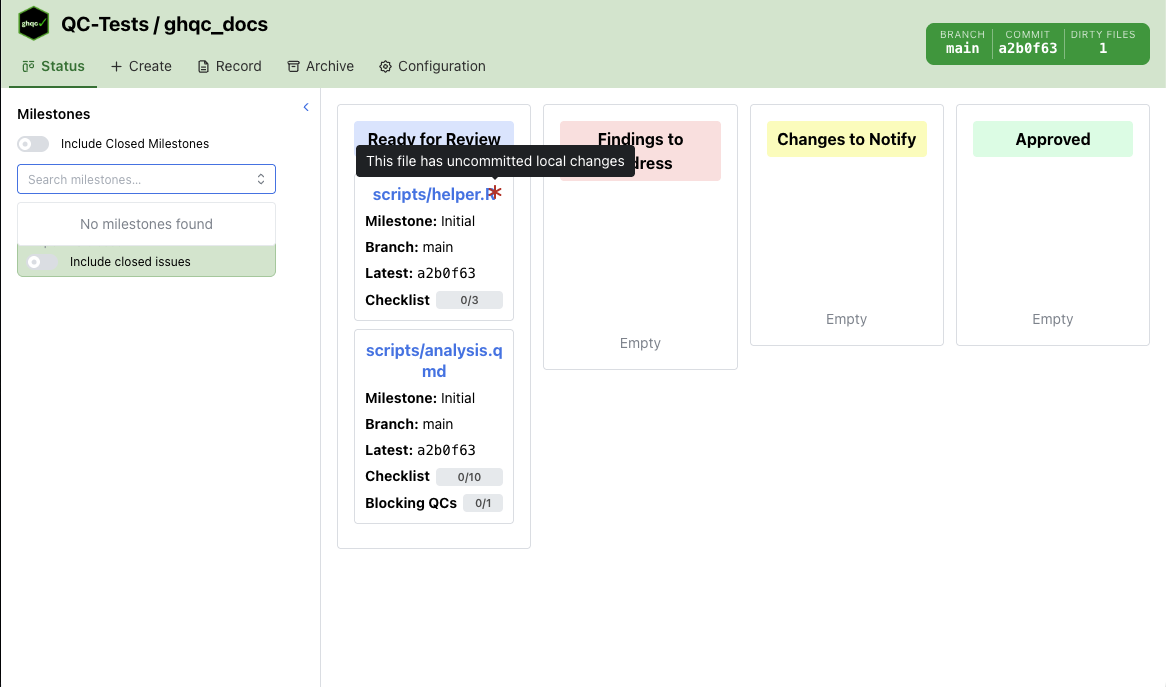
Clicking the card opens a pop-up on the Review tab. There, you can select the commit the review applies to, include an optional comment, choose whether to stash the local review edits after posting, and preview the comment that will be posted.
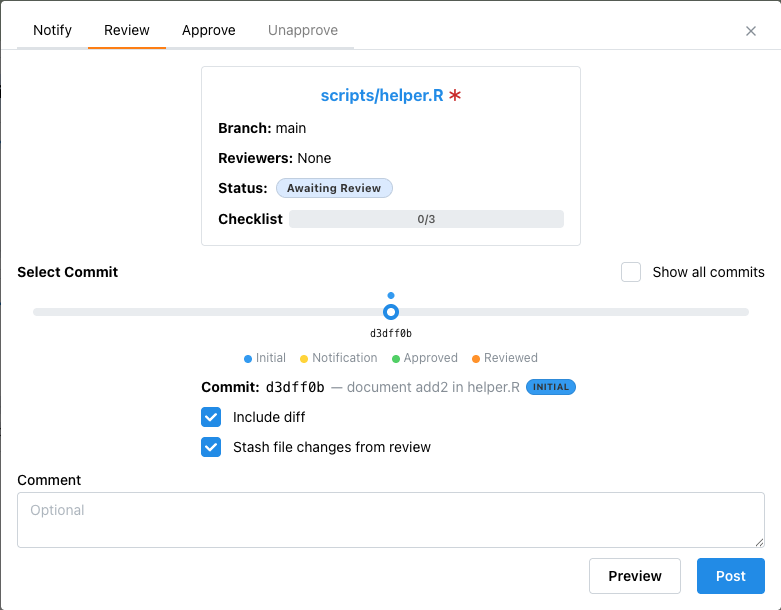
Clicking Post posts the comment and updates the issue status to Findings to Address.