
Assign Files for QC
Now that the repository is up to date and the configuration is set up, we can create our first QC issues. Open the Create tab to either select an existing milestone and add more files to it, or create a new milestone. Since this example project does not have any existing milestones, we will choose New.
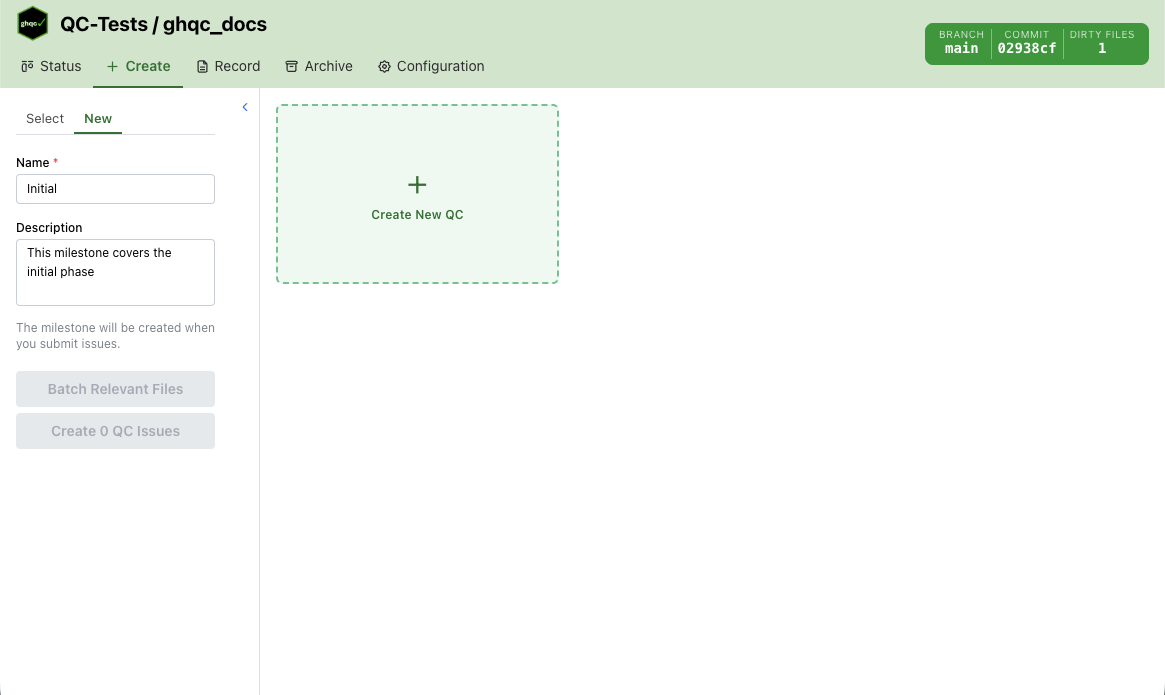
When creating a new milestone, you must provide a name and can optionally include a description. This page also lets you add files for QC. Clicking Create New QC opens a modal with the core create workflow tabs:
-
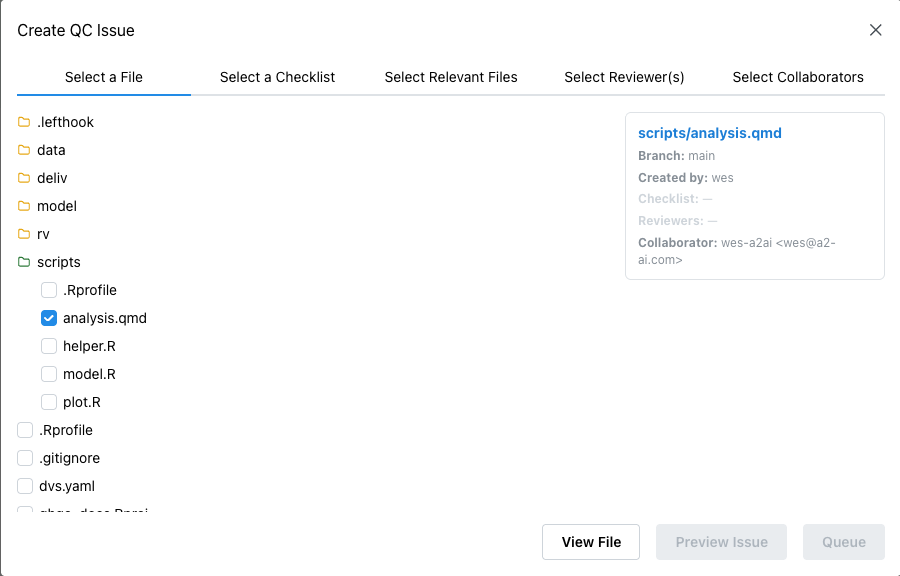
Select a File
The first tab contains a file tree for selecting the file to review. Each QC issue is tied to exactly one file, so you must select one file here.
-
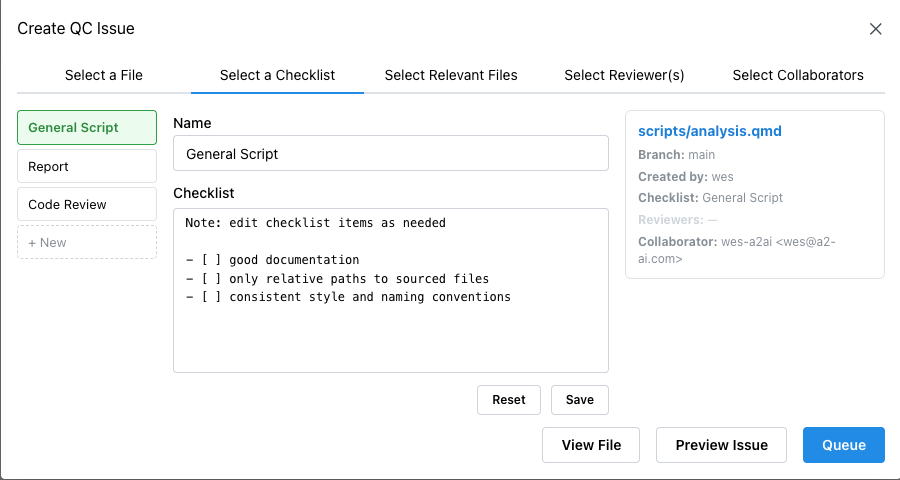
Select a Checklist
The second tab asks you to choose the checklist that will be used for the review. These checklist templates can be edited directly in the tab before creating the QC issue.
-
Select Relevant Files
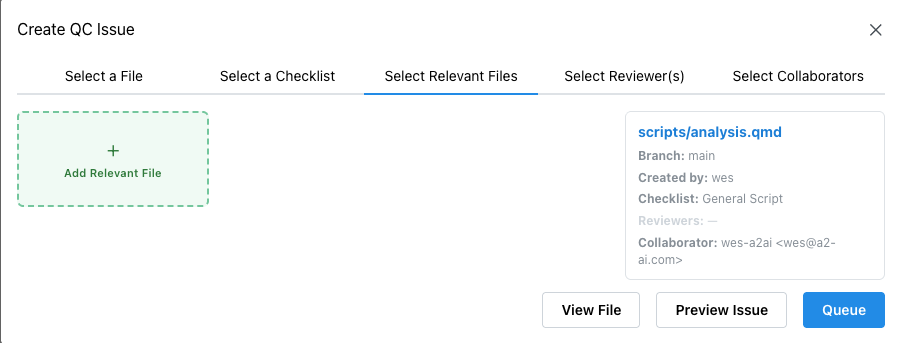
In many projects, a file does not stand alone. It may depend on other files, build on earlier work, or relate to a previous QC. This tab lets you attach those related files so the reviewer has the right context.
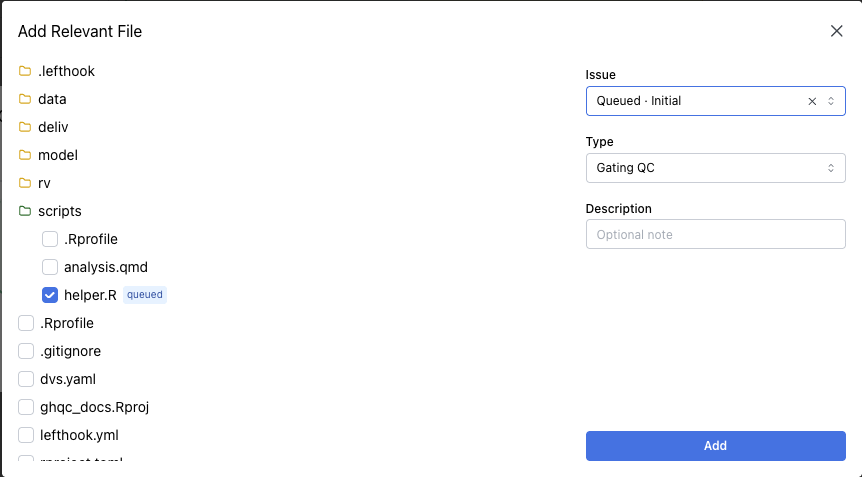
ghqcsupports several types of relevant files, including previous QC issues, gating QC issues, related QC issues, and related files without a QC issue. For more detail on how each type affects approval, see the Relevant Files concept page.To add a relevant file, select Add Relevant File. This opens a pop-up with a file tree. Files that already have QC issues will also show their issue number.
-
Assign Reviewer
Optionally, you can assign one or more reviewers in this tab. If you do not know who will review the QC issue yet, that is fine. A reviewer can add themselves to the GitHub issue later and
ghqcwill treat it the same way.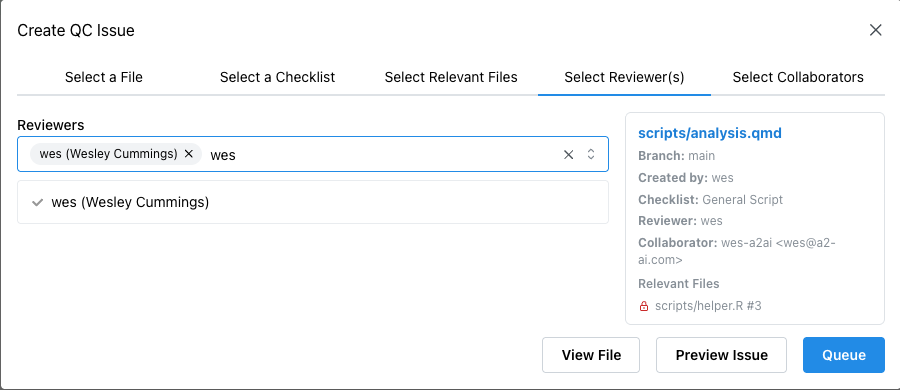
-
Review Collaborators
When collaborator support is enabled, the modal also includes a collaborator tab.
ghqcdetects collaborators from the selected file’s git history, shows the file author separately, and lets you adjust the collaborator list before queueing the issue.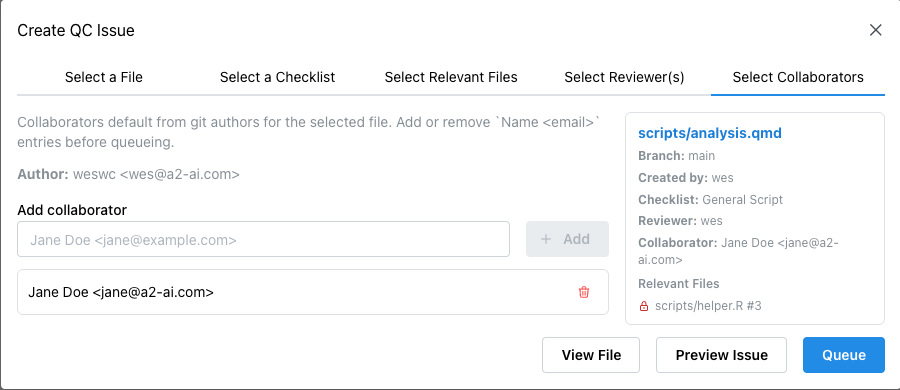
After the file and checklist are selected, you can queue the QC issue for creation. This lets you prepare multiple QC issues together and adjust them before creating them.
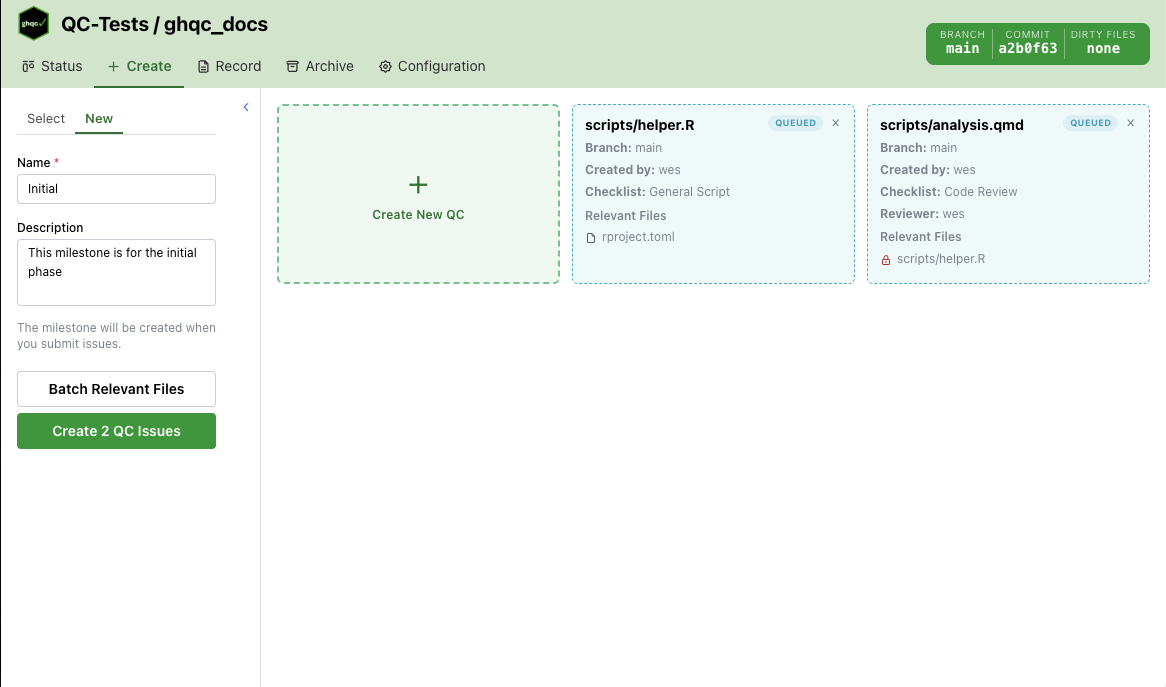
After all files you want to create together are queued, select Create QC Issues. This creates the milestone and QC issues, then returns a pop-up with links to the new issues.