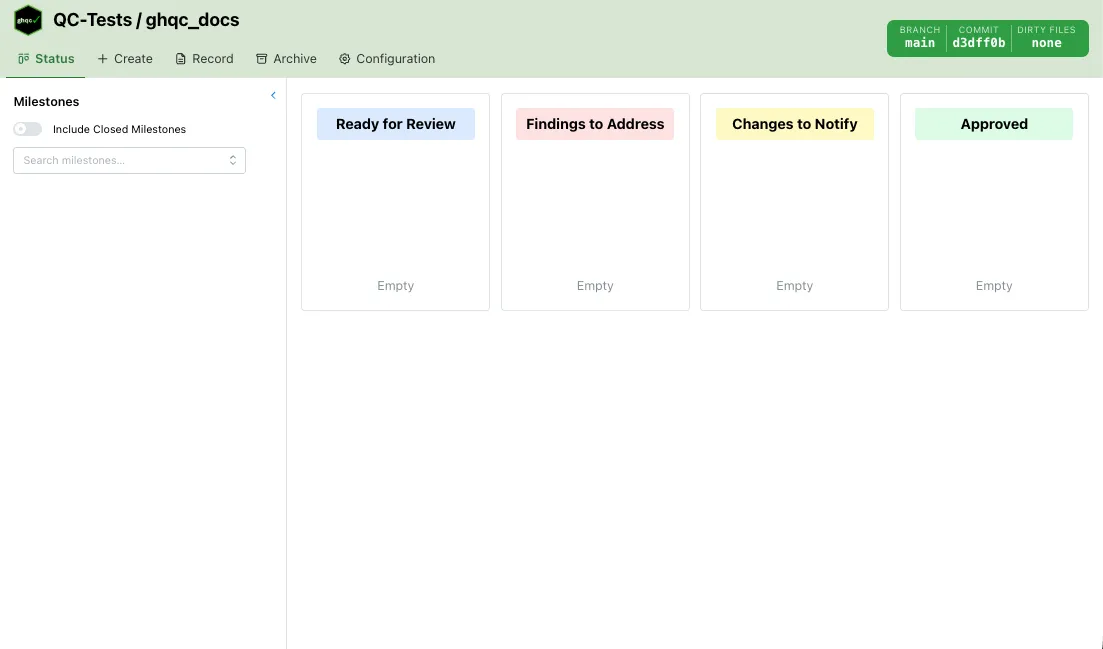
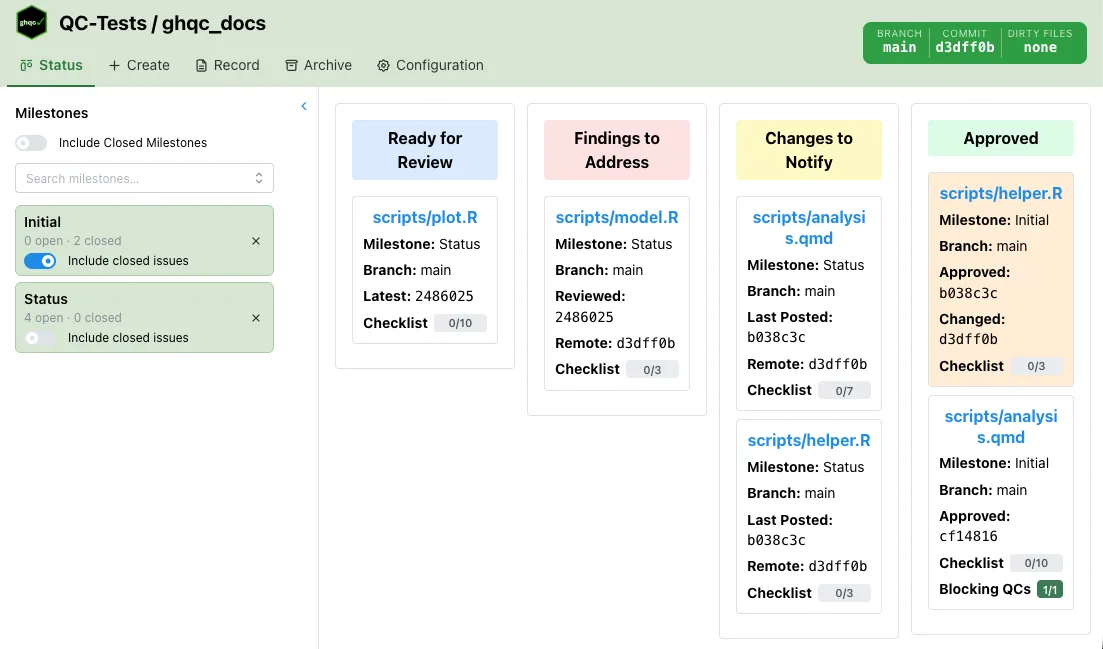
The Status tab displays all QC issues for the selected milestone as a swimlane board. Issues are automatically sorted into one of four
lanes based on their current QC state, giving a quick visual overview of where every file stands in the review workflow.
Each card in the board shows key information about the issue at a glance.
File name — links directly to the GitHub issueMilestone — the milestone the issue belongs toBranch — the branch the issue is tracked against; dimmed and shown in red if it differs from the current branchCommit info — varies by lane:
Ready for Review : the latest commit SHAFindings to Address : the reviewed commit SHA and the remote HEADChanges to Notify : the last posted commit SHA and the remote HEADApproved : the approved commit SHA, and the post-approval change commit if one exists
Checklist progress — a progress bar showing completed checklist items, if the issue has a checklistBlocking QC progress — a progress bar showing approved blocking QCs, if any are configuredDirty indicator — a red asterisk in the top-right corner if the file has uncommitted local changes
Clicking a card opens a detail panel with the full issue history and allows commenting.
The board has four lanes. Each lane groups issues that require the same type of attention.
Ready for Review
Issues where the reviewer is expected to review and either provide feedback or approve.
Awaiting review - the author has commented on the latest file version and the reviewer has not yet reviewedApproval required - the issue was closed without an approval
Review if file is dirtyApprove if file is clean Findings to Address
Issues where the reviewer has submitted feedback on the last file version and is waiting for the author to respond.
Changes requested - the reviewer has reviewed and requested changes Changes to Notify
Issues for which the file has changed since the last notification.
Changes to comment - the file has changed since the last notification; a new notification is neededIn progress - issue is open but no reviewer notification has been sent yet Approved
Issues that have received a formal approval.
Approved - the file is approved and has not changed sinceApproved; subsequent file changes - the file was approved but has since been modified (card highlighted in orange)