
Configuration
The Configuration tab is the main place in the UI for checking whether ghqc has access to a configuration repository.
It gives a lightweight overview of the pieces of configuration that affect the rest of the app, especially checklists and the active repository options,
and an easy way to set-up the configuration.
What Configuration Controls
Section titled “What Configuration Controls”At a high level, the configuration repository provides the shared review setup used across ghqc by you or your group.
In the UI, the Configuration tab surfaces the most immediately useful parts of that setup:
- whether the configuration repository is connected
- which checklists are available
- how checklists are named in the UI
- whether collaborator detection is enabled for issue creation
- where key assets such as the logo and record output paths are expected
- what repository refresh interval the UI is using
- which local configuration directory
ghqcresolved for the current session
The tab is primarily for setup and inspection. It does not expose every configuration capability directly in the UI.
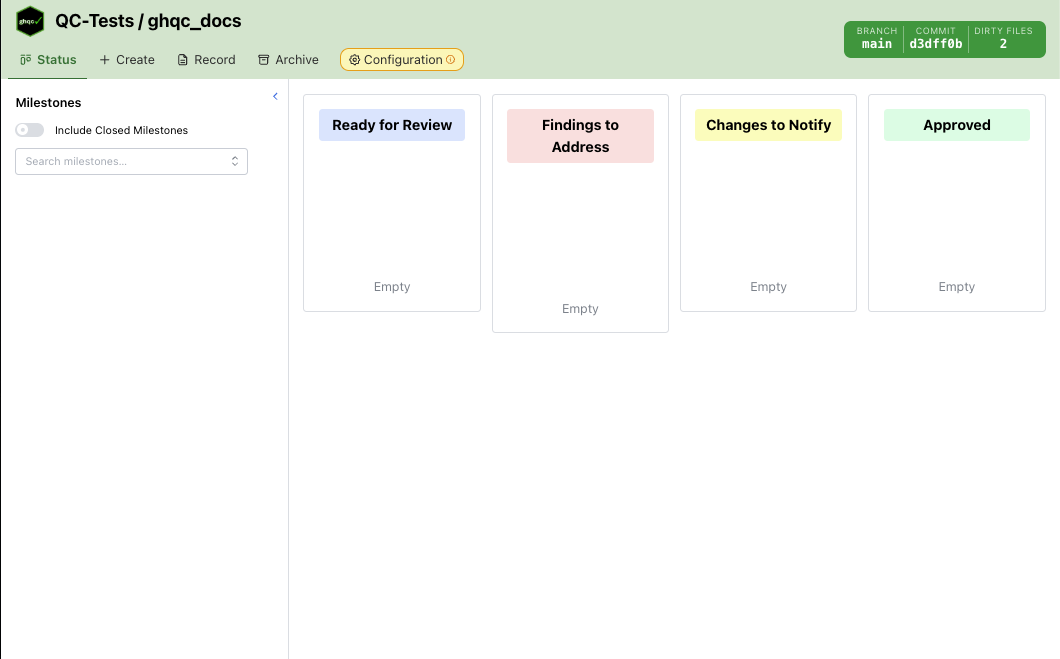
Tab Warning State
Section titled “Tab Warning State”If the configuration repository has not been set up, the Configuration tab itself shows a warning badge and tooltip:
Configuration repository is not set up
This makes it visible from anywhere in the app that the shared checklist/configuration layer still needs attention.
Layout
Section titled “Layout”The Configuration tab has three collapsible sections:
- Git Repository
- Checklists
- Options
Each section can be expanded or collapsed independently.
Git Repository
Section titled “Git Repository”The Git Repository section has two modes depending on whether configuration has already been set up.
Not Yet Configured
Section titled “Not Yet Configured”When no configuration repository is connected, the section shows a setup form with:
- a Git URL input
- a Set Up button
The button remains disabled until a URL is available.
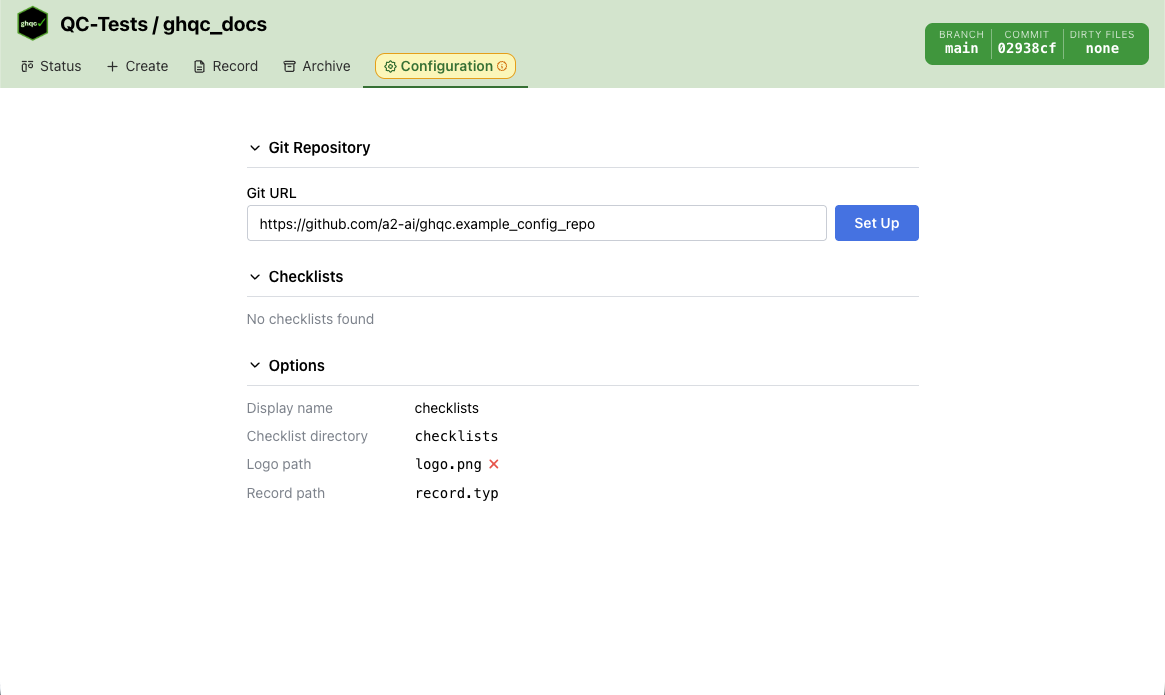
If GHQC_CONFIG_REPO is set, the URL field is pre-filled and disabled, and the UI shows:
Set by GHQC_CONFIG_REPO
In that case, the Set Up button can be used immediately without typing.

If setup fails, the error message is shown directly below the form and the tab remains in setup mode.
Configured State
Section titled “Configured State”Once configuration is available, the setup form is replaced by a repository summary showing:
- repository owner and name
- git sync state:
clean,ahead,behind, ordiverged - the local configuration directory path
- any dirty files in the configuration repository
This section is mainly a health check. It lets you confirm that the app is pointed at the expected repository and whether that repository itself is in a clean git state.
The displayed directory is the fully resolved config location, so it reflects custom resolution sources such as GHQC_CONFIG_DIR when that env var is being used.

Checklists
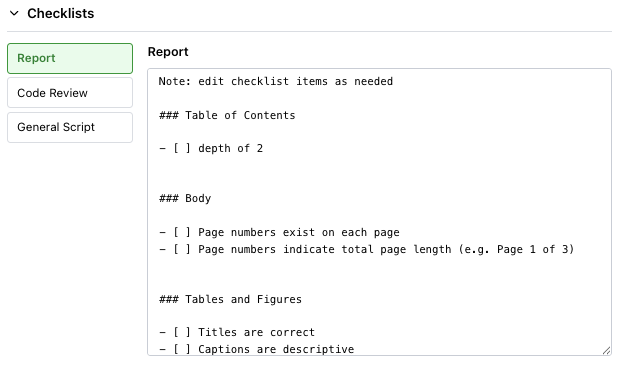
Section titled “Checklists”The Checklists section displays the checklists loaded from the configuration repository.
The layout has two parts:
- a list of checklist names on the left
- the selected checklist’s content on the right in a read-only text area
The UI filters out the special Custom checklist from this list. Only repository-backed checklists are shown here.
If no checklists are found, the section shows:
No checklists found
This section is useful for quickly confirming:
- which checklist templates are available
- whether the expected checklist content was loaded
- how those templates will appear elsewhere in the app
Options
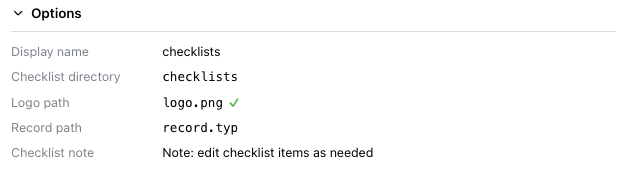
Section titled “Options”The Options section displays the active repository options that ghqc resolved for the current session.
These are the values currently being applied, not an editor for changing them in place.
The section shows:
- Display name — the configured human-readable checklist name
- Include collaborators — whether create flows derive and expose collaborator metadata from Git history
- Checklist directory — where checklist files are expected inside the config repo
- Logo path — the configured logo location, plus whether the file was found
- Record path — the configured records directory
- UI refresh rate — the repository refresh interval used by the web UI
- Checklist note — shown only when a prepended checklist note is configured
These values are read-only status information. They are intended to help you verify what the application resolved from configuration, not to edit the config in place.
Display Name Behavior
Section titled “Display Name Behavior”The configured checklist display name affects terminology elsewhere in the UI.
For example, if the configuration uses a different display name than “Checklist”, that label is reused in places like:
- Create
- Record
- other checklist-related labels throughout the app
The Configuration tab is where you can confirm which naming convention the UI is currently using.
Include Collaborators Behavior
Section titled “Include Collaborators Behavior”When Include collaborators is enabled, the Create flow derives collaborator metadata from the selected file’s Git author history and lets you review that list before issue creation.
When it is disabled, collaborator detection is skipped and the collaborator editor is hidden from the Create flow.
When To Use This Tab
Section titled “When To Use This Tab”The Configuration tab is most useful when you need to:
- set up the configuration repository for the first time
- confirm that the expected config repo is connected
- confirm that a custom directory override such as
GHQC_CONFIG_DIRresolved to the expected path - inspect whether checklist files were loaded correctly
- verify the resolved option values, paths, and refresh settings
- diagnose why configuration-driven features in other tabs are not behaving as expected