
Address and Notify Findings
Once the reviewer has left comments on the latest commit, the author can address them. In this step, we update the file, commit the changes, and notify the reviewer that the issue is ready to be checked again.
Address Findings
Section titled “Address Findings”Continuing with the scripts/helper.R example, we remove the return() call and leave only a + b.
add2 <- function(a, b) { a + b return(a + b)}After making the updates, we commit the changes.
Notify Changes
Section titled “Notify Changes”Returning to the ghqc UI, scripts/helper.R has moved from Findings to Address to Changes to Notify.
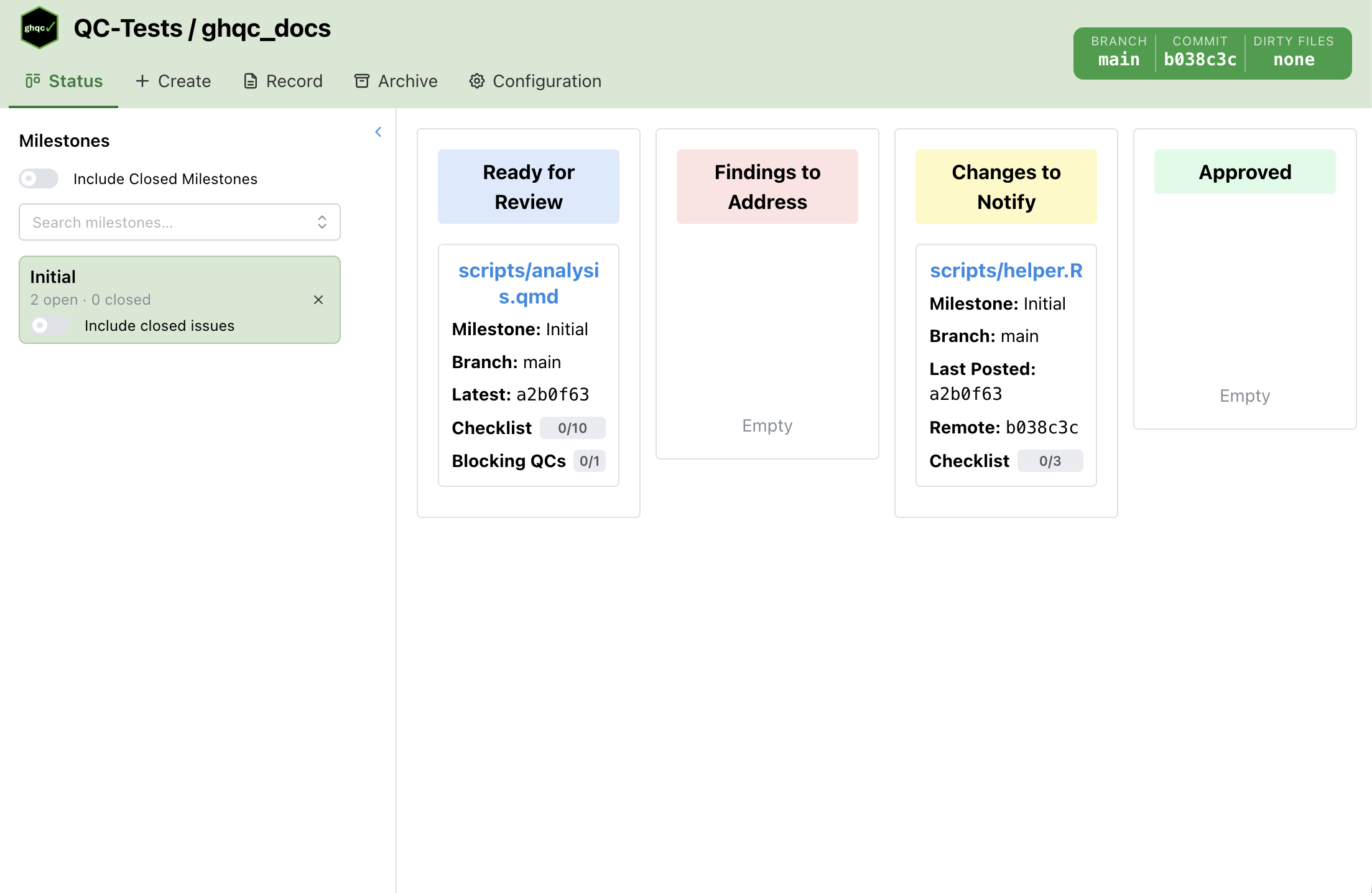
In the card, the last commit referenced in the review no longer matches the latest commit that changed the file. In this state, the author should use the notify workflow to explain what changed and let the reviewer know there is an update. To open this workflow, click the issue card.
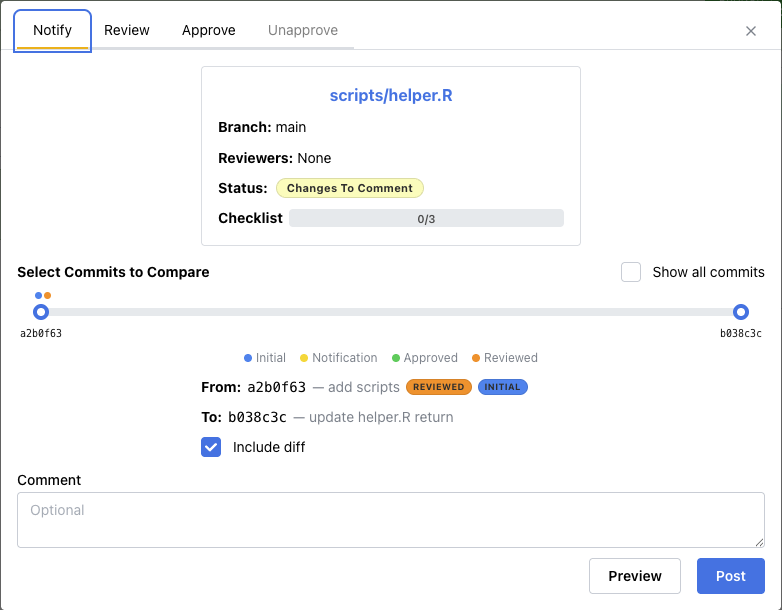
In the Notify tab, you can select the commit range to reference, include a comment, and preview the comment that will be posted.
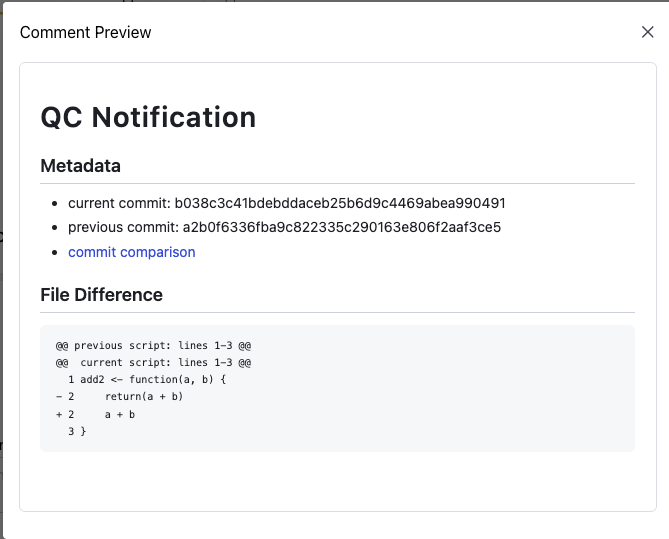
Clicking Post posts the comment and updates the issue status to Ready for Review.