
Review QC files
The second step in the workflow is for the QCer to configure their repository and review.
Configure Repository
Section titled “Configure Repository”There are two conditions the reviewers repository must meet:
- The repository is on the correct branch
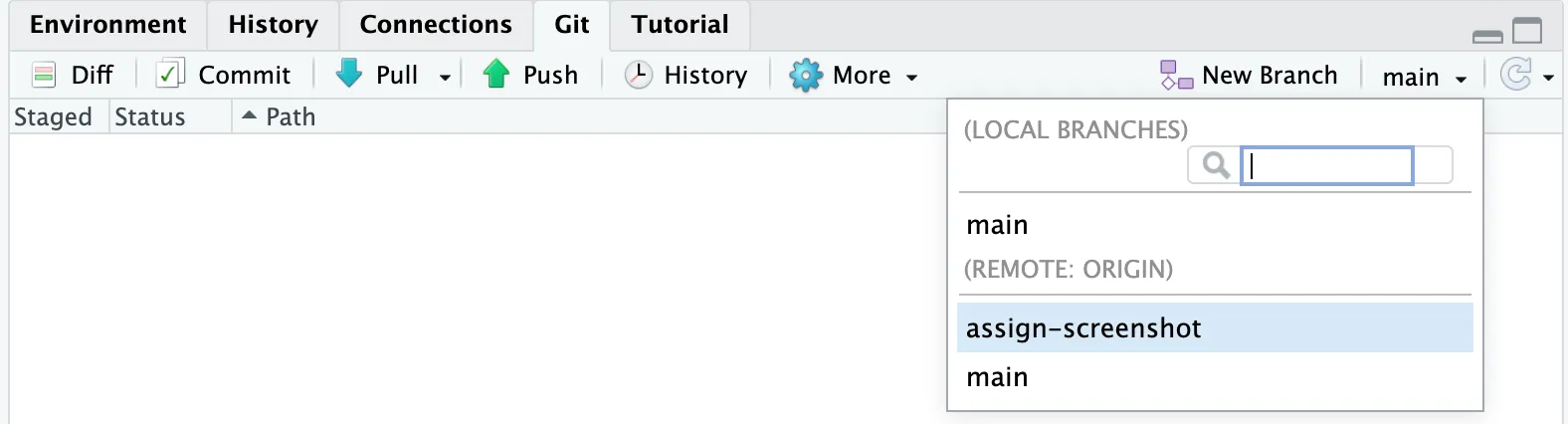
Terminal window git checkout <BRANCH> - The repository is up to date with the remote

Terminal window git pull
Review Tips
Section titled “Review Tips”Set Assignee
Section titled “Set Assignee”In some organizations, issues for QC are created before knowing who the reviewers will be. If you are reviewing a file and are not assigned, we recommend setting yourself as the Assignee within the issue.
Leave a Comment
Section titled “Leave a Comment”One of the primary benefits of using GitHub Issues to track QC is that the reviewer and author can communicate within the Issue.
QCers can leave comments directly in the issue and include a permalink to direct the author to the lines of interest directly.
Push QC Comments
Section titled “Push QC Comments”QCers have found it beneficial to make edits using newline comments directly within the files, then pushing those changes to the working branch.
Then using the Notify app, they are able to highlight diffs and draw attention to the issue.